Money Management
How to Set a Daily Loss Limit in MT5 and Stop Trading Automatically
A daily loss limit is an account-level rule: once the day's loss reaches a set amount or percentage, trading stops. Here is how it works, with a worked $10,000 example and the decisions you must make.
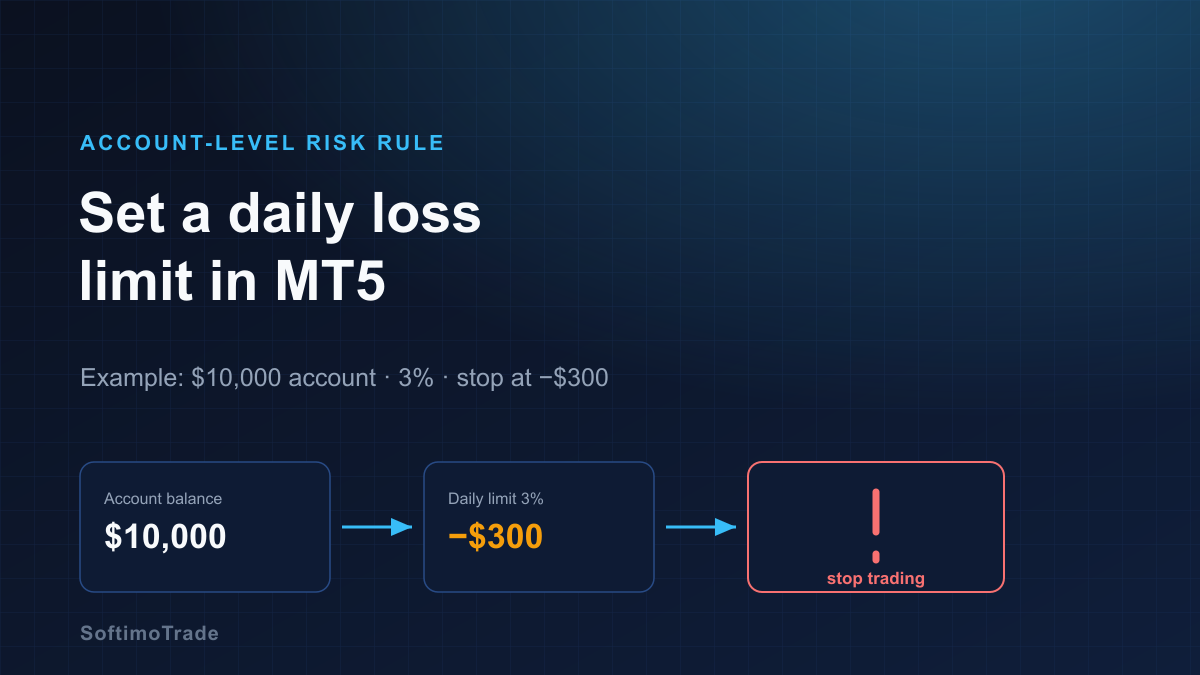
Most account blow-ups are not one catastrophic trade — they are a bad day that a trader refused to walk away from. A daily loss limit removes that decision from the moment of stress and makes it in advance: if I lose this much today, I stop. On MT5 this rule can be enforced automatically, at the account level, across manual trades and every EA at once.
Short answer: A daily loss limit is an account-level rule that halts trading once the day's loss reaches a threshold you set — as a fixed amount (e.g. −$300) or a percentage of the account (e.g. 3%). On a $10,000 account, a 3% limit stops trading at −$300. When the limit is hit, a guard can block new orders, cancel pending orders and — if you choose — close open positions. The counter resets at the start of the next broker trading day. It caps a bad day; it does not remove risk or guarantee the loss stops exactly at the threshold during fast moves.
Balance vs equity — measure the right thing
This is the first decision, and it changes everything:
- Balance is your account after closed trades only. It ignores open positions.
- Equity is balance plus/minus floating profit and loss of open trades.
A daily loss limit that watches balance never reacts while a losing trade is still open — it only counts the loss after you close. A limit that watches equity sees the loss building in real time. For a protective daily stop, equity-based is usually what you want: it responds to the drawdown as it happens, not after the damage is booked.
Dollar limit vs percentage limit
| Type | Example | Best for | | --- | --- | --- | | Fixed amount | Stop at −$300 today | Simple, fixed-size accounts | | Percentage | Stop at −3% of start-of-day equity | Scales as the account grows or shrinks |
A percentage limit is self-adjusting: at $10,000 it is −$300; at $12,000 it becomes −$360. A fixed amount is easier to reason about but needs manual updating as the account changes. Many traders set the percentage and let the tool compute the dollar figure each day.
A worked example
Start-of-day equity: $10,000. Chosen limit: 3%.
- 3% of $10,000 = $300
- Daily loss limit line sits at equity $9,700
- Through the day, trades move equity up and down
- The moment equity touches $9,700, the limit is hit and the rule fires
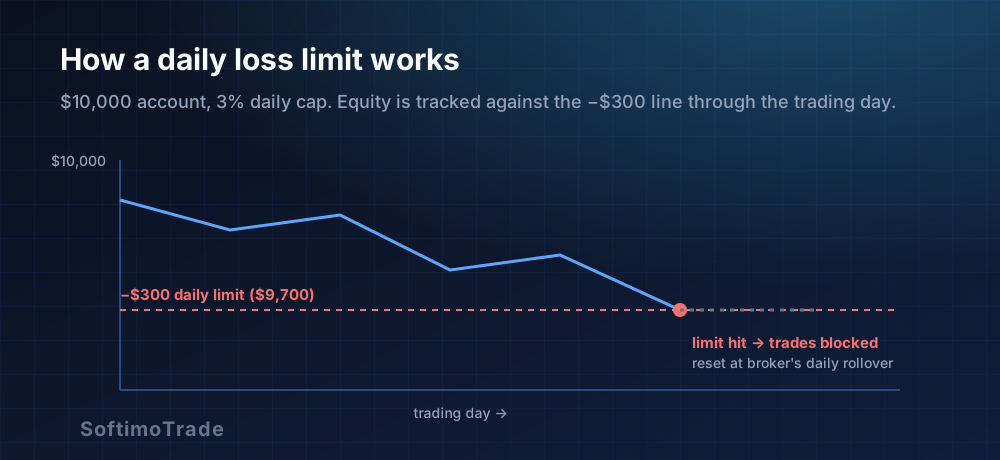
Note what the threshold is measured from: start-of-day equity, not your all-time balance. Tomorrow the line resets to 3% of tomorrow's opening equity.
What should happen when the limit is reached?
Hitting the limit is not one action but several decisions you configure in advance:
- Block new trades? Almost always yes — this is the core purpose. New market and pending orders are refused for the rest of the day.
- Cancel pending orders? Usually yes. Leaving pending orders live means a trade could still trigger after you have "stopped".
- Close open positions? This is a genuine choice. Closing them books the loss at the limit and guarantees you are flat; leaving them open respects each trade's own stop loss but allows the loss to deepen past the daily figure. Neither is wrong — decide it while calm, not at −$300.
- After the limit: the account is effectively "done for the day." Some traders lock the terminal; a guard simply refuses new entries.
The daily reset — and which "day"?
A daily limit needs a definition of "day", and this is where brokers differ. The natural reset is the broker's server day (its trading-day rollover, often at midnight in the broker's server timezone, which may not be your local midnight or the market's). Points to settle:
- Confirm your broker's server timezone so the reset happens when you expect.
- Around the rollover, the day counter zeroes and a fresh limit begins.
- Weekends and holidays have no trading day, so nothing resets until the market reopens.
If your reset seems to fire at an odd hour, it is almost always a server-timezone mismatch, not a bug.
Beyond one day: weekly and monthly caps
A daily stop caps a bad day; a run of bad days still adds up. Many traders layer limits:
- Daily — the primary circuit breaker (e.g. 3%).
- Weekly — a wider cap (e.g. 6–8%) that stops the week after several rough days.
- Monthly — a drawdown ceiling that forces a review, not just a pause.
The layers work together: the daily limit prevents a single day from becoming a disaster, and the weekly/monthly limits prevent a series of "acceptable" days from quietly hollowing out the account.
Account-level vs EA-level risk — a crucial distinction
Many EAs have their own risk settings — a max lot, a per-trade risk, sometimes a built-in daily cap. That is EA-level control, and it only governs that one robot's own trades.
A daily loss limit is account-level. It sits above everything — every EA, plus your manual trades — and measures one number: the account's equity for the day. This is exactly the layer that per-EA settings cannot provide, and it matters most when you run several EAs on one account, where their combined loss is what actually threatens the balance.
| Control | EA-level | Account-level | | --- | --- | --- | | Scope | One robot's trades | All trades: every EA + manual | | Sees combined risk? | No | Yes | | Enforces a daily stop across the account? | No | Yes |
Risk Manager
Automatic account protection — it enforces your loss and exposure limits while you trade.
Practical checklist
- Choose equity-based measurement (reacts in real time).
- Pick a percentage limit (self-scaling) and know the dollar figure it implies today.
- Decide block new trades (yes) and cancel pendings (usually yes).
- Decide close or hold open positions — in advance.
- Confirm the broker server timezone so the daily reset lands correctly.
- Consider layering a weekly/monthly cap.
- Apply it at the account level so it covers every EA and manual trade.
A daily loss limit will not make you profitable and cannot promise the loss halts to the exact cent in a fast market. What it does is remove the most expensive decision — when to stop — from the worst possible moment to make it. Set the number when you are calm, and let the account enforce it.
Sources and further reading
- MetaTrader 5 Help — Account, equity and margin: metatrader5.com/en/terminal/help
- MQL5 Documentation — Account information functions: mql5.com/en/docs
Related articles
- How to calculate the exact risk on a forex trade. EasyTradePad Tool
- Forex money management what is it? Consider the rules and tools of capital management
- Diversification of risks for a trader
- How to Protect an MT5 Account From Trades Without Stop Loss
- Can You Run Multiple Expert Advisors on One MT5 Account?