Robots & EAs
Can You Run Multiple Expert Advisors on One MT5 Account?
Yes — MT5 runs many EAs at once across separate charts, and Magic Numbers keep their orders apart. But they all share one balance, equity and margin, so their combined risk is what really matters.
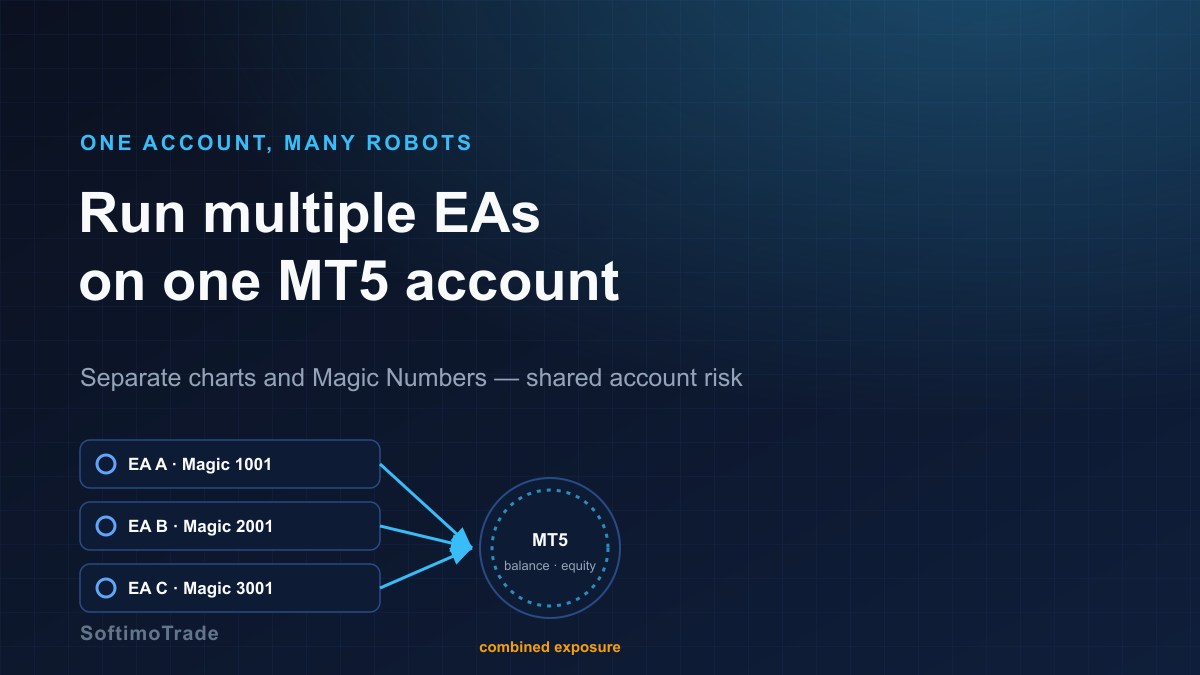
Running one Expert Advisor is straightforward. The moment you want a second — a scalper on gold, a trend robot on EURUSD, something on indices — a fair question appears: can they all live on the same account without interfering with each other? The technical answer is yes. The risk answer needs a little more care.
Short answer: Yes. MT5 can run multiple Expert Advisors at the same time — one EA per chart — and Magic Numbers let each robot recognise and manage only its own orders. What they cannot do is separate the account itself: every EA draws on the same balance, equity and free margin. Magic Numbers isolate orders logically, not risk. Your real exposure is the sum of all robots at once, which can easily exceed the risk any single one was set to take.
How MT5 runs several robots at once
MT5's rule is simple: one EA per chart. To run three robots, you open three charts and attach one EA to each. They execute independently and in parallel. Nothing stops two of them trading the same symbol, or all three trading at the same time.
A few practical limits and settings:
- AutoTrading must be enabled globally and the EA allowed on its chart.
- Each chart's EA has its own inputs, so a scalper and a swing robot can run completely different logic side by side.
- The terminal handles many charts comfortably; the constraint is usually your risk, not your CPU.
Magic Numbers: identification, not isolation
A Magic Number is a unique integer each EA stamps on the orders it opens. When an EA scans the account, it acts only on orders carrying its own magic — so EA A never closes or modifies EA B's positions, even on the same symbol.
This is essential for coexistence, but it is easy to over-trust. A Magic Number tells the platform who owns which order. It does not create a separate wallet, a separate margin pool, or a separate drawdown. All of that is shared.
Magic Numbers separate trades logically inside MetaTrader, but they do not create separate account balances.
The part that trips people up: shared account risk
Here is a concrete setup:
- EA A — EURUSD, Magic 1001, risk 1% per trade
- EA B — XAUUSD, Magic 2001, risk 2% per trade
- EA C — US30, Magic 3001, risk 2% per trade
Each looks conservative on its own. But nothing coordinates them. If all three open positions in the same window — and a volatile session can trigger exactly that — the account is now risking roughly 1% + 2% + 2% = 5% at the same moment. Add correlation (gold and indices often move together around news) and the effective risk can be higher still, because several "independent" trades lose together.
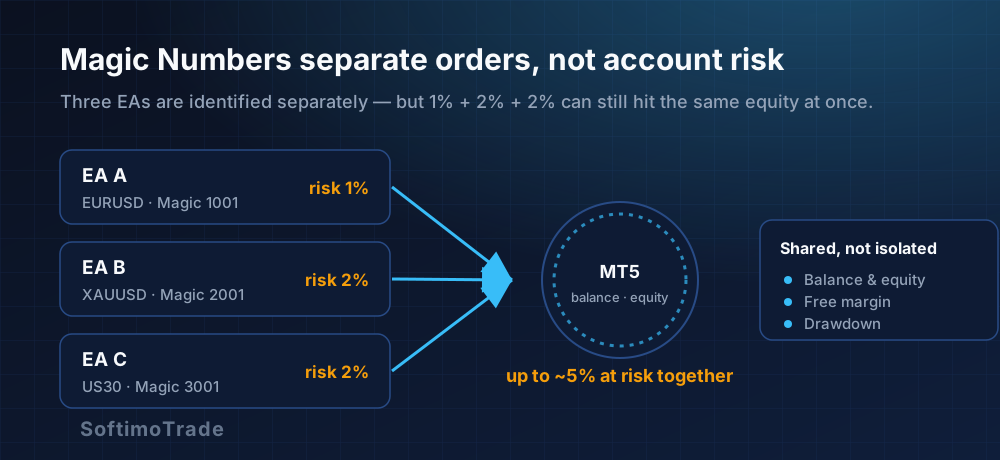
Every EA reads and spends from the same pool:
- Balance and equity — floating losses from all robots move one equity figure.
- Free margin — one EA's large position reduces the margin available to the others; a margin shortage can block or stop out trades that had nothing to do with the robot that caused it.
- Drawdown — the account's drawdown is the combined drawdown, not the worst single EA.
Netting vs hedging: it changes the picture
On MT5 this matters more than on MT4:
- Hedging account — each EA keeps its own positions per symbol; two EAs on the same symbol hold separate tickets (Magic Numbers keep them apart).
- Netting account — there is one position per symbol. If EA A is long EURUSD and EA B goes short EURUSD, they net into a single position — and the Magic Number separation you relied on effectively collapses for that symbol.
Rule of thumb: if two EAs might trade the same symbol, avoid running them on a netting account, or make sure only one robot is ever assigned to each symbol.
One robot affecting another — indirectly
Even with perfect Magic separation, robots interact through the shared account:
- A large position from one EA eats free margin the others need.
- A deep drawdown from one strategy shrinks the equity the others size against (if they size on equity).
- A margin call or stop-out triggered by one EA can close positions across the whole account.
They never touch each other's orders, yet they compete for the same resources.
Practical checklist before running multiple robots
- One EA per chart, with AutoTrading enabled and allowed per-chart.
- Unique Magic Number for every EA — never reuse one.
- One symbol, one robot where possible; if you must double up, use a hedging account.
- Add up the risk. Sum the worst-case simultaneous exposure across all EAs, not each in isolation.
- Cap total lots / total open risk at the account level, not just per trade.
- Watch correlation — gold, indices and USD pairs can lose together.
- Run on a VPS so all robots stay online continuously — see How to Run a Forex EA on a VPS.
- Demo the whole portfolio together before going live; test the combination, not each EA alone.
The gap the checklist keeps pointing to is between per-trade control (which each EA has) and account-level control (which nothing has by default). That is precisely what an account-level guard is for: a single tool that watches total exposure, total drawdown and daily loss across every robot at once.
Risk Manager
Automatic account protection — it enforces your loss and exposure limits while you trade.
Multiple EAs on one MT5 account is normal and safe when you manage the account as one portfolio. Separate the orders with Magic Numbers, but size and cap the risk as a whole — because the account only ever has one equity curve, no matter how many robots draw on it.
Sources and further reading
- MQL5 Documentation — Expert Advisors and OrderSend/positions: mql5.com/en/docs
- MetaTrader 5 Help — Charts, Experts and AutoTrading: metatrader5.com/en/terminal/help