Robots & EAs
How to Copy Telegram Trading Signals to MT4 and MT5 Automatically
A practical guide to turning Telegram signal messages into real MT4/MT5 orders — how parsing works, symbol mapping, SL/TP and multiple targets, and the risks of copying blindly.
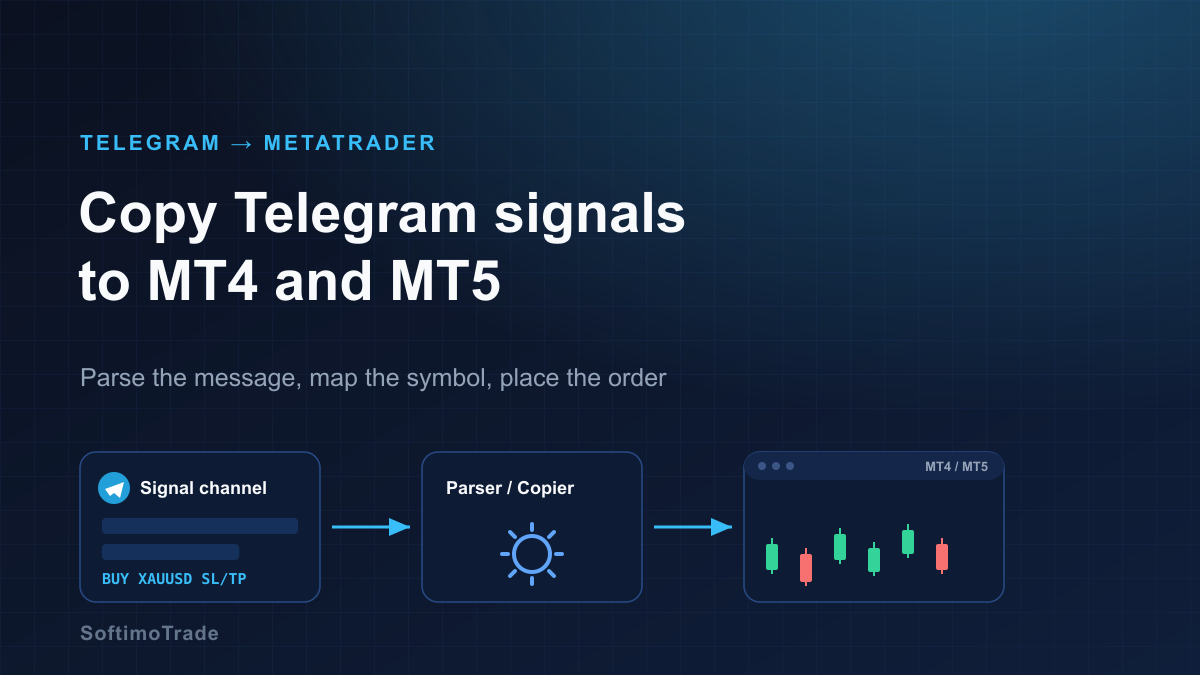
If you follow a trading channel on Telegram, you have probably wanted the trades to appear in MetaTrader without you sitting at the screen. That is exactly what a Telegram-to-MetaTrader copier does: it reads each new message, understands the instruction inside it, and places the matching order in MT4 or MT5. The idea is simple; the details are where it succeeds or fails.
Short answer: A Telegram-to-MetaTrader copier connects to a channel through your own Telegram account, reads each new message, and parses the trade instruction — direction (BUY/SELL), symbol, entry, stop loss and take-profit. It then maps the channel's symbol name to your broker's symbol and places the order in MT4 or MT5. It automates execution and speed, not judgement: a copier will faithfully place a bad signal just as fast as a good one, so the quality of the channel still decides the result.
How Telegram → MetaTrader copying actually works
The chain has three parts, and it helps to picture them as a pipeline:
- Read — the tool connects to Telegram (through your account/API) and receives new messages from the channel you choose.
- Parse — it extracts the structured trade from free-form text: direction, symbol, entry type, stop loss, take-profit level(s).
- Execute — it maps the symbol to your broker's name and sends the order to the MT4/MT5 terminal, which places it on your account.
The terminal (MetaTrader) is what actually holds the position. The copier is only the translator between human-written messages and the terminal's order functions. Nothing here changes how your broker fills orders — spread, slippage and execution are still your broker's.
Parsing a signal: from text to an order
Signals are written by people, so they arrive in dozens of shapes. A parser looks for a few key fields:
| Field | Example in the message | What the copier does |
| --- | --- | --- |
| Direction | BUY, SELL, LONG, SHORT | Chooses order side |
| Symbol | GOLD, XAUUSD, EUR/USD | Maps to the broker symbol |
| Entry | @ 2358 or market | Market order or pending order |
| Stop loss | SL 2350 | Sets protective stop |
| Take-profit | TP1 2365 TP2 2372 | One or several targets |
A good copier lets you define keywords so it recognises the channel's particular wording ("Buy limit", "stop", "target", emojis, and so on). If a field is missing — say the channel posts no stop loss — you decide in advance what should happen: skip the trade, or apply a default SL you configure yourself.
Symbol mapping: GOLD vs XAUUSD
This is the single most common reason a copied signal fails. A channel might write GOLD, but your broker's symbol is XAUUSD, XAUUSD.m, GOLD.i or XAUUSDpro. If the names do not match, the order is rejected. A symbol map solves this: you tell the copier "when the channel says GOLD, trade XAUUSD.m on my account." Build this map once per channel/broker pair and most rejection problems disappear.
Market orders vs pending orders
- If the message says "buy now" or gives no price, the copier sends a market order at the current price.
- If it says "buy limit 2350" or "sell stop 2372", the copier places a pending order and waits for price to reach that level.
By the time you read a message and it reaches the terminal, price may already have moved past the stated entry. Decide the rule up front: place a market order anyway, place a pending order, or skip if price is already beyond a tolerance you set (for example, more than X pips away).
Stop loss, take-profit and multiple TP levels
Most channels post one SL and several TPs (TP1, TP2, TP3). MetaTrader attaches one take-profit to a single position, so multiple targets are handled by splitting the position into parts — one part per TP — each with its own take-profit, sharing the same stop loss. When TP1 is hit, that part closes; the rest keeps running toward TP2 and TP3. A common refinement is to move the stop loss to break-even after TP1 fills, which many copiers can do automatically.
Edge cases that break naive copiers
Real channels are messy. These are the situations that separate a robust setup from a fragile one:
- Edited messages. Telegram lets authors edit a post after sending it (a corrected entry, an added SL). A good copier can react to edits; a naive one only reads the first version.
- Duplicate messages. The same signal reposted, or a "reminder", should not open a second position. De-duplication (by message id or content) prevents doubling your exposure by accident.
- Different formats in one channel. Some posts are clean (
BUY XAUUSD SL 2350 TP 2365), others are prose ("thinking gold looks good here, maybe long"). The parser should ignore commentary and act only on messages that contain a complete, tradable instruction. - Updates to an open trade. "Move SL to entry", "close half", "close now" are management messages, not new signals. Handling them requires the copier to link a management message back to the position it opened.
- Timing. A signal read minutes late is a different trade than one read instantly. Latency between the post and the order matters most on fast instruments like gold.
Private vs public channels
Technically, a copier reads messages through your own Telegram session, so it can follow any channel you are already a member of — public or private — exactly as you see it in the app. The distinction that matters is not public vs private but permission and reliability: only automate channels you are entitled to follow, and remember that a channel owner can delete, edit or stop posting at any time. None of that is under your control.
MT4 vs MT5 considerations
The parsing logic is identical; the terminal differences are what to plan for:
- Order accounting. MT4 is hedging by default (each buy/sell is its own ticket). MT5 accounts can be netting (one position per symbol) or hedging. On a netting account, a new opposite signal reduces or reverses the existing position instead of opening a separate one — which changes how multi-TP splitting behaves.
- Symbols and volumes. MT5 brokers often expose more symbols and different suffixes, so the symbol map matters even more.
- Both work. For copying signals, either platform is fine; match the copier build to the terminal you actually trade on.
The risk of copying signals blindly
A copier removes the manual work — it does not remove the risk. Copying is only as good as the source, and the source is usually unverified.
- You inherit the channel's strategy, its drawdowns and its bad weeks, at full size, automatically.
- Screenshots and "+800 pips" claims are marketing, not evidence.
- Position sizing is yours to control. If the channel risks 5% per idea and you copy at the same lot, one bad streak can be severe.
The disciplined approach is to measure before you trust: collect a channel's historical signals and test how they would actually have performed on your broker's spread and commission, then start on a demo account, then scale slowly with your own risk limits. That evaluation step is a topic on its own — see How to Backtest Telegram Trading Signals.
Practical checklist before you go live
- Confirm the channel posts complete, machine-readable signals (direction, symbol, SL, TP).
- Build the symbol map for your broker (GOLD → XAUUSD.m, etc.).
- Set the rule for missing SL (skip, or apply a default).
- Decide market vs pending behaviour and your maximum entry slippage.
- Configure multiple-TP splitting and any break-even logic.
- Turn on de-duplication and, if available, edited-message handling.
- Fix your lot size / risk per trade independently of the channel.
- Run on a demo account first, then a small live size.
Telegram to MetaTrader Copier
Turn Telegram signals into MetaTrader orders automatically — no manual entry, no DLLs.
Automation is about doing reliably what you would do by hand — reading the message, mapping the symbol, placing the protected order — without the delay and the typos. Keep the judgement, the sizing and the risk limits in your own hands, and treat every new channel as unproven until your own numbers say otherwise.
Sources and further reading
- MQL5 Documentation (order functions, symbols): mql5.com/en/docs
- MetaTrader 5 Help — Trading and order types: metatrader5.com/en/terminal/help
Related articles
Related products
Telegram to MetaTrader Copier
Turn Telegram signals into MetaTrader orders automatically — no manual entry, no DLLs.
Backtester for Telegram Signals
Check a Telegram signal provider on history before you trust it with real money.